AB ReaLayer
A random variation sampler for REAPER, built for sound designers.
AB ReaLayer is a JSFX sampler designed to speed up work with multiple sound variations.
Load a WAV containing multiple sounds, ReaLayer detects the individual variations, displays them in the waveform, and lets you trigger them randomly via MIDI.
Perfect for footsteps, impacts, weapons, Foley, movement sounds and other repetitive SFX.
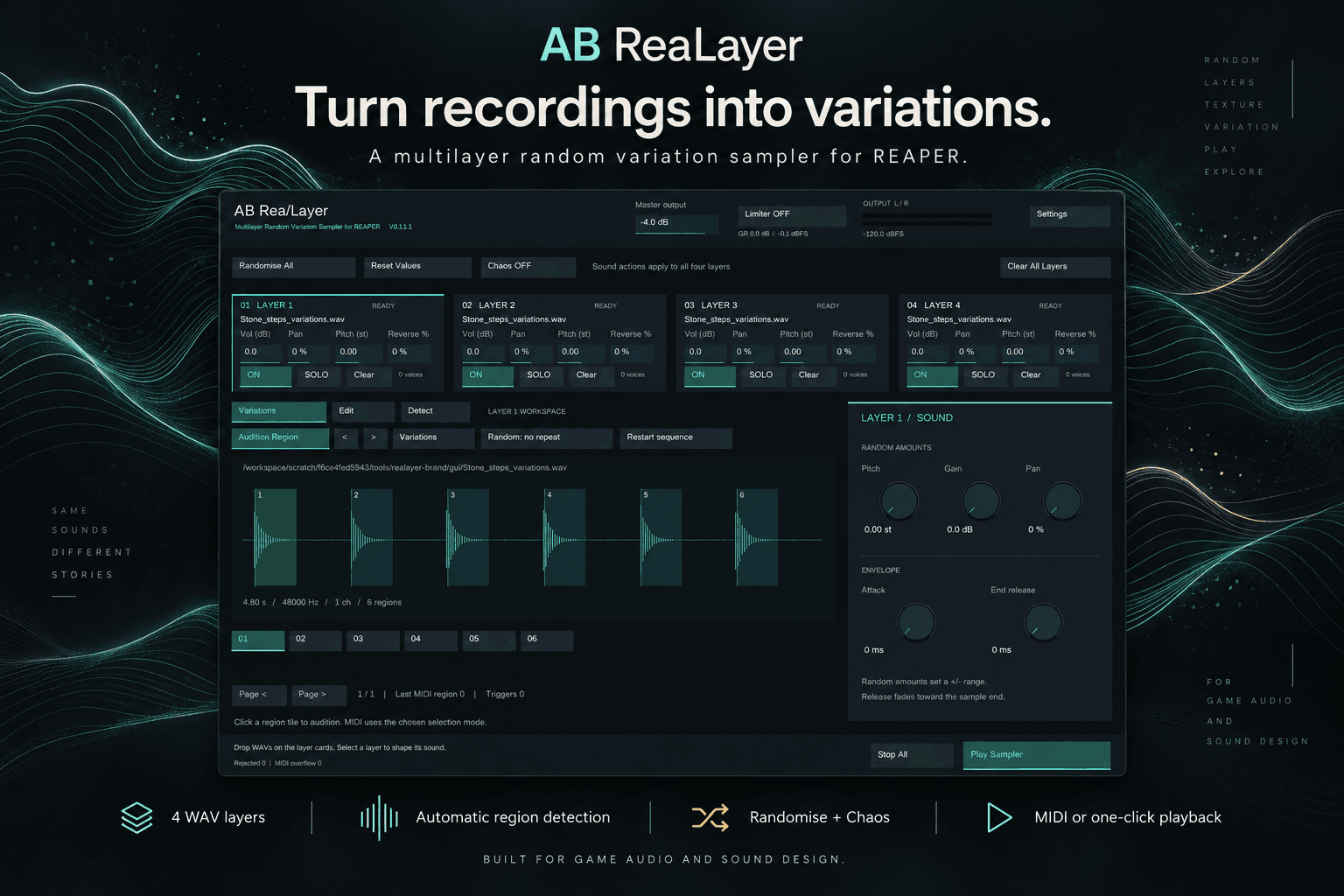
Features
🎲 Random variation playback
🔍 Automatic variation detection
🌊 Visual waveform editor
🎛️ Per-layer volume, pan & pitch
🎹 MIDI triggering
🚫 Randomise all and chaos modes
🔊 Polyphonic playback
🧱 Multiple independent layers
How It Works
1. Load
Drag a WAV containing multiple sound variations into ReaLayer.
2. Detect
ReaLayer automatically identifies the individual sounds.
3. Edit
Adjust variation boundaries in the waveform if needed.
4. Trigger
Play MIDI notes and ReaLayer selects variations automatically.
Installation
Requirements: REAPER 6 +, ReaPack, SWS
Install ReaPack.
In REAPER, go to Extensions → ReaPack → Import repositories.
Add the AB ReaLayer repository URL.
https://raw.githubusercontent.com/RoadToOmega/AB-ReaLayer/main/index.xml
Open ReaPack → Browse packages.
Search for AB ReaLayer and install it.
Restart Reaper -> Open FX browser, search for AB ReaLayer and enjoy